인공지능과 함께 만든 아이디어,
실행 가능한 서비스가 됩니다.

HTML을 안전하게 배포하고, 쇼케이스·리믹스·협업으로 확장하는
녹스블리 창작 생태계의 시작점입니다.

무료로 시작하기 → 창작 생태계
100개
무료 사이트
즉시
배포·공개
4가지
창작 생태계
자유롭게
리믹스 지원

내 사이트에서 시작해
쇼케이스, 리믹스, 스튜디오로 확장됩니다

단순 HTML 배포를 넘어, 창작물을 공개하고 변형하고 요청하는 순환형 플랫폼으로 확장됩니다.

1
🌐

내 사이트

내가 직접 작성하거나 AI가 생성한 HTML을 업로드하고, 공개 URL과 단축 URL을 생성합니다.

배포 단축 URL 관리
→
2
🚀

쇼케이스

완성된 창작물을 다른 사용자에게 공개하고, 조회수와 좋아요를 통해 좋은 작품이 자연스럽게 발견됩니다.

공유 탐색 반응
→
3
♻️

리믹스

공개된 창작물을 기반으로 AI 리믹스 또는 HTML 직접 수정을 통해 새로운 변형 창작물을 만듭니다.

변형 AI 리믹스 HTML 수정
→
4
🌌

스튜디오

사용자가 원하는 창작물을 요청하고, 다른 사용자가 제작·제안·거래할 수 있는 협업 공간으로 이어집니다.

요청 제안 협업
✨ 리믹스 결과물은 다시 쇼케이스에 공개되고, 또 다른 리믹스와 창작 요청으로 이어집니다.

다양한 창작물을
실행 가능한 미니 앱으로 발견하고 확장하세요

AI Mini Apps는 AI 또는 사용자가 만든 HTML 창작물을 실행 가능한 서비스 형태로 공개한 결과물입니다.
생산성 도구, 교육 콘텐츠, 실용 유틸리티와 미니게임을 설치 없이 실행하고, 마음에 드는 결과물은 리믹스해 나만의 실제 서비스로 발전시킬 수 있습니다.

🤖

🔭 3D Solar System Explorer

A full 3D Solar System Explorer! Controls Drag — Rotate the viewpoint (mouse and touch both supported) Scroll — Zoom in and out Click a planet — Focus on that planet and open its detail info panel Bottom pill buttons — Jump directly to any planet instantly Top toggles Orbits — Show or hide the orbital ellipses Labels — Planet name labels (also shown on mouse hover) Asteroid Belt — 320 particles filling the asteroid belt between Mars and Jupiter ▶ Play / ⏸ Paused — Freeze or resume time Bottom sliders Time speed — Adjust orbital speed from 0× to 5× Zoom — Zoom level from 0.3× to 4× Per-planet details ☀️ Sun — Triple-layer corona glow with animated sunspot texture 🌍 Earth — Continent silhouettes with a Moon orbiting in real time 🪐 Saturn — Three-layer ring system with perspective shift as the viewing angle changes 🔴 Jupiter — Horizontal cloud bands with the Great Red Spot All planets — Full 3D sphere shading with highlight and shadow passes Focused planet — Orbital progress arc shown as a HUD overlay Info panel — Click any planet to display its diameter, mass, distance from the Sun, day length, year length, moon count, temperature range, surface gravity, and a key fact.
#science#solar system
실행
🤖

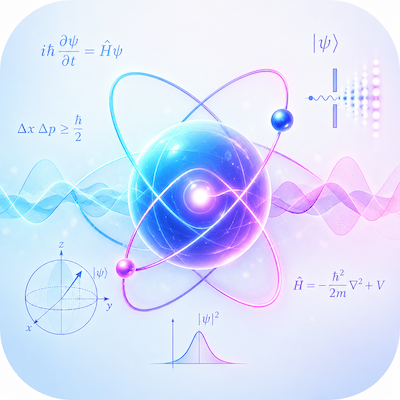
Physics | Double Pendulum

🌌 Gravity Well — Hold the mouse button to spawn a second gravity source and watch particles shift their orbits. A real-time visualisation of Newton's Law of Universal Gravitation. 🔵 Double Pendulum — Two pendulums starting from nearly identical conditions trace completely different paths over time. An intuitive demonstration of the Butterfly Effect at the heart of chaos theory. 〰️ Wave Interference — Renders constructive and destructive interference patterns from two wave sources in real time. Drag either source to reposition it. 🪨 Sand Pile — Click and drag to pour sand and watch the Angle of Repose form naturally as grains settle into a self-organised slope. ✨ Lissajous Curve — Adjust the X/Y frequency ratio and phase to draw circles, figure-eights, pretzels, and more. The same principle behind oscilloscope waveform analysis. 🧲 Magnetic Field — Drag the N/S poles to new positions and watch the field lines instantly reform around them.
#science#education#physics
실행
🤖

Semiconductor Electron Flow

This is an interactive laboratory designed to help users explore and understand charge-carrier flow inside semiconductors from multiple perspectives.

  • Electron Flow — Visualizes the movement of electrons and holes, including thermal motion, drift, and scattering, in real time using Canvas.
  • 4 Visualization Modes — Explore semiconductor behavior through Carrier Drift, Crystal Lattice, Thermal Motion, and Electric Field views.
  • Material Models — Compare Intrinsic, N-type, and P-type semiconductors.
  • Energy Bands — Visualize the concepts of the Valence Band, Band Gap, and Conduction Band.
  • P–N Junction — Explore P-type and N-type regions, the depletion region, and the basic concept of electrical bias.
  • MOSFET Channel — Follow the process Gate Voltage → Electric Field → Channel Formation → Carrier Drift → Drain Current.
  • Concept Map — Understand the relationship Crystal Lattice → Energy Bands → Charge Carriers → Electric Field → Electrical Current.
  • Interactive Parameters — Directly adjust Electric Field, Carrier Density, Temperature, Scattering, and Hole Fraction.
  • Simulation Controls — Experiment with Inject Carriers, Pause, Reverse Field, and Reset.
  • Real-Time Telemetry — Monitor Electrons, Holes, Drift Index, Scatter Events, and Current Trend as the simulation runs.
  • Electron vs. Conventional Current — Visually observe the difference between the electron drift direction and the conventional current direction.
  • Educational Conceptual Simulator — This is not a TCAD or SPICE tool for real semiconductor process or device design. It is designed as an educational conceptual simulator for understanding the fundamental principles of semiconductor charge transport.


#engineering#semiconductor
실행
🤖

Elevator PLC Control Simulator

Overview

An interactive, browser-based simulation of a traction elevator control system, showing how a Programmable Logic Controller processes inputs, executes ladder logic, drives outputs, and manages safety interlocks in a continuous scan cycle. The simulation runs a five-floor elevator with real physics — acceleration, deceleration, door timing, and counterweight movement — while exposing the underlying control logic in real time.


Content

Live Operation — The main view shows an animated elevator shaft with a moving car, counterweight, and spinning sheave. Hall call buttons on each floor and car operating panel buttons inside the cab register requests. The controller dispatches the car to the nearest pending call, smoothly accelerates and decelerates using configurable speed and acceleration parameters, levels at the target floor, releases the brake, and opens the doors automatically. A bottom console shows the PLC scan cycle animating through its four phases, live logic bar graphs for position, velocity, and door state, a timestamped event log, and the current state of the four main output commands — motor up, motor down, brake, and door open.


PLC I/O & Ladder — Shows the input and output racks with 24 VDC digital I/O addresses and their current on/off states, updated live from the simulation. A simplified ladder logic diagram displays five rungs covering the up motion enable, down motion enable, brake application, door open, and dispatcher dispatch coils — each with their contact conditions lighting up as the simulation runs.


PLC Scan Cycle — Explains and animates the four-phase PLC scan: read inputs, execute program, write outputs, housekeeping. A process image table lists all key addresses and their current values sampled live from the simulation.


Safety Chain — Shows the series of interlocks that must all be healthy before motion is permitted — emergency stop closed, doors locked, limit switches normal, brake monitored, and drive healthy. Training fault injection buttons simulate a door interlock failure, a drive inverter fault, and a limit switch fault, showing how the controller removes motion commands and applies the brake in response. A clear button restores all devices.


Controls — Mode switch between AUTO and MANUAL, sliders for maximum speed (0.4–2.0 m/s), acceleration rate, and door dwell time, manual jog up/down buttons (MANUAL mode only), emergency stop toggle, and controller reset.

#engineering#plc#elevator
실행
✨ NEW 🤖

Mirage Phenomenon | Atmospheric Optics

An interactive atmospheric optics simulator that visualizes how mirages form through the refraction of light in air layers with different temperatures and densities.


Explore inferior mirages, curved light paths, heat gradients, road mirages, and superior mirages through real-time animated visualizations.


Adjust surface heat, temperature gradient, observer height, and air shimmer to see how atmospheric conditions change the apparent position and distortion of distant objects.


The simulator also compares normal vision, inferior mirages, and superior mirages, providing an intuitive way to understand why hot roads can appear wet and why distant objects sometimes seem displaced or floating.

#Mirage#Atmospheric Optics#Light Refraction#Optical Illusion
실행
🤖

Robot Vacuum Navigation

An interactive educational simulator that visualizes how a robot vacuum understands, navigates, and cleans a home.

Explore the autonomous process of sensing, localization, mapping, path planning, obstacle avoidance, cleaning, and returning to the charging dock.

The simulator also introduces SLAM, LiDAR-style sensing, coverage planning, and the cleaning system through an interactive smart home environment.

#Robot Vacuum#Robotics#SLAM#Smart Home
실행
🤖

Science Calculator V2

Graph plotter · Statistics · Matrix operations · Base converter · Physical constants · History — all in one browser tab.

#scientific#calculator
실행
✨

표절 검사 도구

📊 유사도 점수 4가지 알고리즘의 가중 합산으로 최종 점수를 산출합니다. Ring 게이지 + 색상 판정 5단계. 코사인 유사도 (45%) — TF-IDF 벡터 간의 각도. 문서 길이와 무관 자카드 지수 (20%) — 공유 어휘 / 전체 고유 어휘 비율 바이그램 중복 F1 (20%) — 2단어 구문 일치율. 패러프레이징 탐지에 효과적 트라이그램 중복 F1 (15%) — 3단어 구문 일치율. 직접 복사의 강력한 지표 🔬 5가지 시각화 탭 📝 단어 비교 — 두 문서를 나란히 표시하고 단어별로 색상 구분 🔴 빨강 = 정확 일치 / 🟡 노랑 = 어간 일치 (패러프레이징) / 🟢 초록 = 고유 단어 / 회색 = 불용어 📐 벡터 공간 — TF-IDF 벡터를 2D로 투영해 단어를 점으로 시각화. 문서 A/B의 중심 벡터를 원점에서 화살표로 표시하고 두 벡터 사이의 각도(θ) 실시간 표시 📏 코사인 각도 — 단위 원에 두 문서 벡터를 그려 각도로 유사도를 직관적으로 표현. 공통 단어별 A/B TF-IDF 가중치 바 차트 제공 🧩 N-gram 히트맵 — 1/2/3-gram 전환 버튼으로 단어·2단어·3단어 구문 단위의 일치 여부를 격자로 시각화. 빨강 = 공유 / 파랑 = A 전용 / 주황 = B 전용 📊 단어 빈도 — 양쪽 문서의 TF-IDF 상위 단어를 바 형태로 비교. 공통 단어는 빨강으로 표시 🌐 언어 지원 영어 — TF-IDF, 불용어 제거, 접미사 기반 어간 추출 (ing/tion/ness 등) 한국어 — 어절 분리 + 조사·어미 제거 (에서/으로/합니다 등 40여 개), 1글자 및 접속사 불용어 처리 언어 자동 감지 (한글 문자 수 vs 영문자 수 비교)
#utility#표절#유사성
실행
AI Mini Apps를 발견하고, 나만의 실행 가능한 서비스로 확장해 보세요.

앱을 탐색하고 리믹스하거나, 직접 만든 HTML을 배포해 쇼케이스에 공개할 수 있습니다.

창작 생태계 아래에는
보안 인프라가 있습니다

녹스블리는 AI 생성 결과물을 단순히 공개하는 것이 아니라, 저장·검증·배포·접근 제어 흐름을 보안 기반으로 설계합니다.

01
Flexible Creation Input — 다양한 AI 생성 HTML과 사용자 제작 HTML을 지원
02
Security Policy — 보안 정책에 따른 위험 탐지와 품질 검사
03
Secure Runtime — 검증된 콘텐츠를 격리된 환경에서 안전하게 실행
🔐

Encrypted Storage

창작 결과물을 암호화하여 안전하게 저장·관리합니다.

🛡️

Security Audit Engine

업로드된 콘텐츠의 위험 요소를 자동으로 제거하고, 보안과 품질을 검사합니다.

👤

Access Control

공개, 비공개, 리믹스 허용 여부를 창작자 중심으로 관리합니다.

🌐

Trusted Delivery

HTTPS, CDN, 단축 URL을 통해 안정적으로 결과물을 전달합니다.